Spotify Pre-Save: How to Set It Up and Make It Worthwhile
Oct 15, 2026By Tushar Mathur · Updated October 15, 2026
A Spotify pre-save lets a listener ask for an unreleased track, EP or album to be added to their library when it goes live. It is a useful release reminder, but it is not a shortcut to streams: the campaign works only when the link gives interested fans a clear next step and you keep promoting the release after launch.
Artists now have two main routes. Eligible albums and EPs can use Spotify’s native Countdown Pages. Singles and artists who do not qualify can use a distributor or third-party pre-save page. This guide explains how each route works, what permissions fans grant, and how to judge whether the campaign was worthwhile.
What does pre-save mean on Spotify?
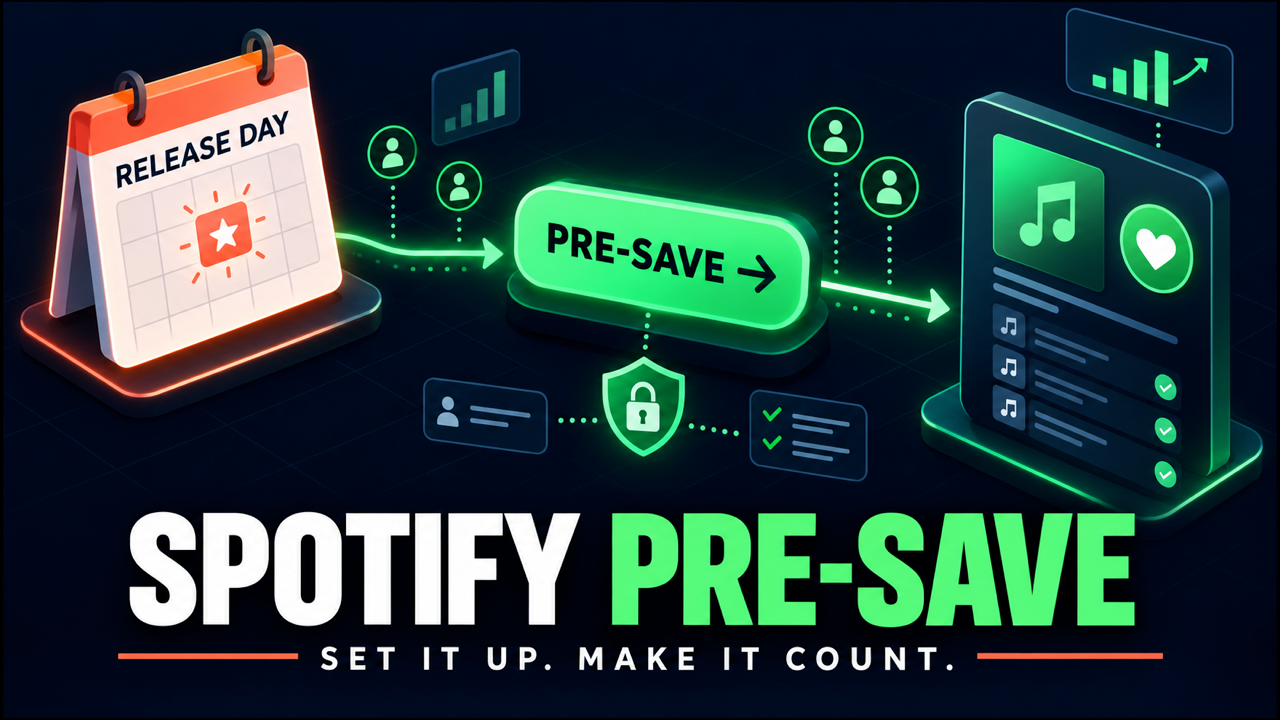
A pre-save is an instruction to save music later. Before release day, the listener authorizes Spotify or a connected app to add the release to their library once it becomes available. On release day, the platform or campaign tool matches the release and performs that save.
This differs from a normal save. A normal save happens to music that is already live. A pre-save records the listener’s choice before the release exists publicly and completes the action later.
That makes pre-saves useful for three practical reasons:
- fans do not need to remember the exact release date;
- you can send pre-release traffic to one destination instead of repeatedly saying “link coming soon”;
- you can compare campaign interest with release-week listening.
A pre-save does not guarantee that the listener will play the song, follow the artist, share the release or become a long-term fan. Treat it as a reminder and a measurable sign of intent.
Choose the right Spotify pre-save route
| Route | Best for | Main requirement | What fans see |
|---|---|---|---|
| Spotify Countdown Page | Eligible new EPs and albums | At least 3,000 monthly active listeners plus an eligible delivered release | A native Spotify page with pre-save, tracklist, videos and optional merch |
| Distributor pre-save page | Artists whose distributor includes a campaign tool | A release delivered through that distributor | A branded landing page that may also collect follows, emails or analytics |
| Independent smart-link tool | Singles, multi-platform campaigns or custom tracking | Correct release date and a UPC, ISRC or store URL before fulfillment | A landing page with Spotify and any other selected services |
Option 1: create a Spotify Countdown Page
Countdown Pages keep the pre-save inside Spotify. According to Spotify’s current eligibility guide, an artist needs at least 3,000 monthly active listeners. Check this in Spotify for Artists under Audience → Segments; monthly active listeners are different from the broader monthly-listener count shown publicly.
The release also needs to qualify. Spotify currently supports new, original albums and EPs. Singles, deluxe editions, anniversary editions, reissues, remasters and compilations are not eligible. The finished release must be delivered through the normal distributor or label process, and the first-named main artist controls the page when several main artists are credited.
Countdown Page setup
- Deliver the finished EP or album through your distributor.
- Wait for it to appear under Music → Upcoming in Spotify for Artists. Spotify says the option can appear within 72 hours after the licensor delivers the metadata.
- Select the release and click Get started.
- Add countdown videos and tag relevant merchandise if those assets are ready.
- Review the page, publish it and share its link.
Once published, the page can appear across the artist profile, Search, Home and the Upcoming Releases hub. On release day, Spotify notifies pre-savers and adds the release to their libraries. Spotify for Artists also reports pre-saves and, after launch, the share of pre-savers who streamed in the first seven days.
Option 2: create a third-party Spotify pre-save link
Use this route for a single, for a release that does not qualify for a Countdown Page, or when you want one landing page for Spotify, Apple Music and other services.
Your distributor may already provide a tool. For example, DistroKid creates a HyperFollow page for each upload. Independent platforms such as Feature.fm and Linkfire provide configurable pre-release smart links. Features, prices, data collection and automatic follow options vary, so compare the fan-facing permissions and privacy policy before choosing.
Third-party setup checklist
- Deliver the release. Keep the exact artist name, release title, date and artwork consistent.
- Get the identifier. Use the UPC for a release or an ISRC for a track when your tool supports it. Some tools can start without an identifier, but they still need a reliable scan source before release day.
- Set the release time and time zone. A wrong conversion time can leave the page in pre-release mode after the music is live.
- Choose only the services you can support. Do not add empty buttons or stores that will not receive the release.
- Write a direct headline. State the artist, release and date. The button should say exactly what will happen.
- Review optional actions. Decide whether following an artist, following a playlist or collecting an email is necessary. Avoid turning one pre-save into a bundle of surprises.
- Set the post-save destination. Send fans to a teaser, artist profile, video or thank-you page rather than a blank confirmation.
- Test it. Complete the flow with a listener account, check mobile and desktop, read the permission screen and confirm the release-day match.
Feature.fm’s setup documentation explains that a UPC, ISRC or store URL can act as the scan source and that its pre-release page can convert to a released smart link. Your provider may work differently, so use its current instructions.
What permissions does a Spotify pre-save use?
A native Countdown Page happens inside Spotify. A third-party pre-save usually uses Spotify authorization: the fan signs into Spotify and approves specific access for the connected app.
Spotify documents those permissions as scopes. The one directly needed to add a release to a listener’s library is user-library-modify. A campaign may request other scopes to follow an artist or playlist, read profile information, or support additional features.
Before publishing the link:
- complete the pre-save yourself and read every permission shown;
- remove optional actions that are not important to the campaign;
- explain email collection separately and use a clear opt-in;
- link to the provider’s privacy policy;
- avoid language that implies Spotify endorses your campaign.
Listeners can remove a connected app later from their Spotify Apps page. Spotify’s connected-app guidance explains how to revoke access. Including that information in an FAQ or privacy note can reduce uncertainty without making the campaign feel alarming.
When should you launch a pre-save campaign?
Launch when you have something concrete to show and enough time to repeat the message. For many independent releases, 10 to 21 days is a workable window. A longer campaign can help an album with multiple assets; a shorter window can suit a single with a focused audience.
Spotify reports that artists who publish a Countdown Page at least seven days before release see more pre-saves on average than artists who publish later. That is useful platform data, but it is not a promise that a long campaign will outperform a short one for every artist.
Build the link into a wider plan:
- Announcement: reveal the title, artwork, date and reason to care.
- Story: explain the lyric, production choice or moment behind the song.
- Proof: share a rehearsal, collaborator reaction or short performance.
- Reminder: make the pre-save action clear without repeating identical copy.
- Release day: change the call to action from pre-save to listen, save and share.
- After launch: continue the campaign with new angles instead of disappearing.
Use our broader guide to promote music before and after release to plan the surrounding content. If you are deciding how this campaign fits your calendar, see how often independent artists should release music.
How to make a Spotify pre-save campaign worthwhile
Give people a reason, not just a link
“Pre-save now” is an instruction. It is not the reason someone acts. Pair the link with a chorus preview, a story, an exclusive first look or a clear description of who the release is for.
Send warm audiences first
Start with existing followers, email subscribers, previous listeners and people already engaging with release content. A small number of interested fans is more useful than broad traffic that abandons the permission screen.
Keep one stable URL
Use a page that converts to a release link after launch, or replace the destination behind the same short URL. Old social posts, bios and messages can then keep sending people somewhere useful.
Measure the whole funnel
| Metric | What it tells you | Useful diagnosis |
|---|---|---|
| Landing-page visitors | Campaign reach | Low visits point to distribution or weak creative |
| Completed pre-saves | Action after seeing the page | A large drop may mean unclear value or excessive permissions |
| Source or campaign | Where completions came from | Use tagged links to compare email, bio, ads and posts |
| Release-week listeners | Whether intent became listening | Compare with pre-savers carefully; definitions and attribution differ |
| Saves, follows and repeat listening | Quality after the first play | Use Spotify for Artists trends rather than assuming causation |
Do not present page views as pre-saves. Do not present pre-saves as guaranteed streams. Label each number correctly and compare releases with similar campaign length, audience size and spend.
Common Spotify pre-save mistakes
- Starting before the release details are stable. A title, date or identifier change can break the match.
- Using the wrong time zone. Test when the page should convert for your actual release schedule.
- Requesting unnecessary access. Extra permissions create friction and can weaken trust.
- Hiding an automatic follow. If a tool adds another action, state it clearly.
- Sharing an untested link. Check mobile, desktop, the authorization screen and confirmation page.
- Stopping on release day. A pre-save campaign should hand off to a listening campaign.
- Calling pre-saves an algorithm hack. They record fan intent; they do not replace music, audience fit or sustained promotion.
Spotify pre-save FAQ
Is Spotify pre-save free?
Spotify’s Countdown Page does not charge artists to use the feature, but eligibility rules apply. Distributor and smart-link tools may include pre-saves in a plan, offer a free version or charge for advanced customization and analytics.
Can I pre-save a Spotify single with a Countdown Page?
No. Spotify’s current Countdown Page rules support eligible new EPs and albums, not singles. Use a distributor or third-party pre-save link for a single.
Do I need a Spotify URL before release?
Not always. Some tools can begin collecting pre-saves and use a UPC or ISRC to find the release later. The campaign still needs a correct scan source before fulfillment, so confirm the provider’s requirements and test the match.
Does a pre-save count as a stream?
No. A pre-save adds the release to a library when it becomes available. A stream is counted only when a listener actually plays the music under Spotify’s counting rules.
Can fans remove pre-save app access?
Yes. A listener can open the Apps section of their Spotify account and remove access from a connected third-party app.
How many pre-saves are good?
There is no universal target. Compare completed pre-saves with your reachable audience, previous releases, traffic sources and release-week listening. Improvement across comparable campaigns is more useful than a generic benchmark.
Build beyond release day
A good pre-save page removes one small piece of friction. The larger job is still to earn attention before launch and give listeners reasons to return after it. Set up the link carefully, explain the action honestly, and judge it as one part of the release funnel.
Ready to put the release in front of listeners?
Once your song is live, submit it to GreaseRelease for curator review and potential playlist opportunities across our network.
Don't miss my newsletter!
Join me on a music entrepreneurship journey with new tips and tricks delivered straight to your inbox.
We hate SPAM. We will never sell your information, for any reason.